 WEB MAKER
 Add to Chrome
01
--offline
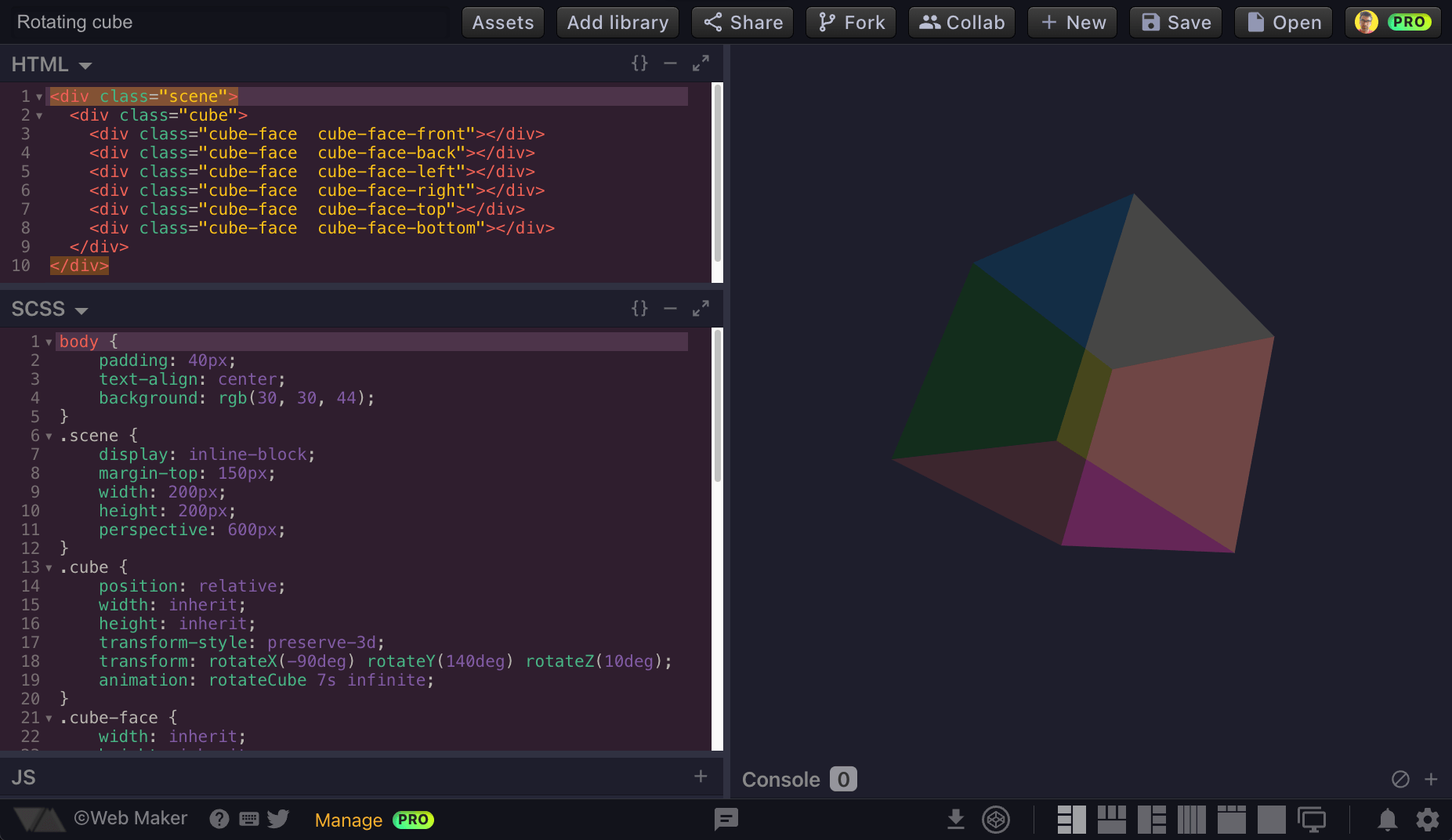
Lives in your browser. Not in the cloud.
No network. No latency. Opens instantly and renders previews on a train, a plane, a basement. Your code never leaves the device unless you say so.
// the offline code editor for
HTML · CSS · JavaScript
No network. No latency. Opens instantly and renders previews on a train, a plane, a basement. Your code never leaves the device unless you say so.
Real-time multi-user editing. Built for interviews, mob sessions and teaching a friend at 2am.
React, Vue, jQuery, Tailwind — one click or paste a URL.
Side-by-side, stacked, full-preview, and a tabbed editor for focus.
Folders, files, an IDE-like sidebar. Same playground, more rope.
One click to capture a clean PNG of your preview — straight to Twitter, Slack or your README.
Outgrew the playground? Push the whole creation to CodePen and keep going.
A built-in JS console, Prettier formatting, a Cmd+K command palette, a full shortcut map, and a dark mode that doesn't sting at midnight.
Practice HTML, CSS and JavaScript with instant feedback. No setup, no terminal, no node_modules.
Test an idea before opening your IDE. From thought to working preview in under ten seconds.
Conduct live coding interviews over a single shareable link with real-time collaboration.
Share code instantly with students. Works offline in any classroom, hostel WiFi or conference basement.

Really enjoying using Web Maker — super fast offline web playground.

Finding awesome pens on @CodePen and recreating them in @webmakerApp is my new hobby.

If you're looking for a CodePen-like offline editor, and use Chrome, check out Web-Maker by Kushagra Gour.

This is something I will be using a lot. Thank you! :D
It's fantastic! I'm glad I've discovered it! Thanks!

This is like having your own copy of Codepen that also works offline.

@webmakerApp looks like a good offline alternative to @CodePen.

Meet Web Maker, an offline, browser-based CodePen alternative.

Great Chrome extension via @chinchang457. I need offline CodePen from time to time.
Thanks for creating this. What a great tool for productivity!
Decided to use it for my latest project, it's pretty awesome! Thank you for making this!
Web Maker needs the following permissions to work with full capabilities. In words of Chrome extensions:
Read & change all your data on the websites that you visit - Worry not. This is just required for the new tab replacement feature where Web Maker shows up only if the new tab url is chrome://newtab/. Nothing is read, stored or changed.
Web Maker does not track any user specific data. It uses Google Analytics to track aggregated events to improve user experience based on what features are used more. If still you want to opt-out of Google Analytics tracking, please visit https://tools.google.com/dlpage/gaoptout or you can set up a filter in Adblock Plus or similar ad blocker tools like AdBlock, uBlock or Adblock Pro.
Web Maker needs the following permissions to work with full capabilities. In words of Chrome extensions:
Read & change all your data on the websites that you visit - Worry not. This is just required for the new tab replacement feature where Web Maker shows up only if the new tab url is chrome://newtab/. Nothing is read, stored or changed.
Web Maker does not track any user specific data. It uses Google Analytics to track aggregated events to improve user experience based on what features are used more. If still you want to opt-out of Google Analytics tracking, please visit https://tools.google.com/dlpage/gaoptout or you can set up a filter in Adblock Plus or similar ad blocker tools like AdBlock, uBlock or Adblock Pro.